Friday, December 05, 2008

Updated Blog Page

I added a couple of new gadgets on my blog page today:

  • Links allowing you to subscribe to posts and comments using a variety of means.
  • Members, using the new Google Friend Connect gadget. Feel free to join my site.
  • Ratings, which allows you to rate blog posts.

Tuesday, December 02, 2008

Dynamically Moving Controls

I have a class that provides a file selection control. It consists of a label, a textbox, and a command button. The user can either type the name of the file or click the button to bring up a file dialog.

image

Obviously, a more descriptive label than "File" would be useful, but it would be painful to manually change the caption and then adjust the textbox so the two don't overlap. To make this dynamic, the class has a cLabelCaption property you can set. That property has an Assign method that calls a custom AdjustControls method. AdjustControls set the caption of the label to the value in cLabelCaption and then changes the Left and Width properties of the textbox to make room for the caption. The Init method also calls AdjustControls so entering a value for cLabelCaption in the Properties window adjusts the controls as well.

The problem is that this didn't always work. Sometimes the label and textbox were sized properly and sometimes the label overlapped the textbox. In tracking this down, I discovered that the problem occurred when cLabelCaption was changed before the form the control is on was visible. Changes to the size of controls isn't applied until the form actually appears. So, my calculations which relied on the Width of the label, which I assumed changed automatically when Caption is changed because AutoSize is .T., didn't work.

The solution is to manually determine the width of the label if the form isn't visible yet. You could use TXTWIDTH(), but as I blogged about a couple of years ago, the GDI+ GdipMeasureString function is more accurate. My SFGDIMeasureString class is a wrapper for that function.

Here's the code I now use in AdjustControls. Note the handling of txtFile.Anchor; any time you manually change the position of a control that has anchoring turned on, you need to do this or anchoring won't work properly for that control.

local loSFGDI

with This
if not empty(.cLabelCaption) and ;
not .lblFile.Caption == .cLabelCaption
.lblFile.Caption = .cLabelCaption
    if not Thisform.Visible
      loSFGDI = newobject('SFGDIMeasureString', ;
          'SFGDIMeasureString.prg')
      .lblFile.Width = loSFGDI.GetWidth(.lblFile.Caption, ;
        .lblFile.FontName, .lblFile.FontSize, ;
        iif(.lblFile.FontBold, 'B', ''))
endif not Thisform.Visible
   .txtFile.Anchor = 0
  .txtFile.Left   = .lblFile.Width + 5
   .txtFile.Width  = .Width - .txtFile.Left - .cmdGetFile.Width
   .txtFile.Anchor = 10
endif not empty(.cLabelCaption) ...
endwith

Determining the First Date in a Week

Here's a simple algorithm to determine the first date in the week a certain date falls in. This is handy for reporting on aggregate values by week, displayed as "Week of SomeDate". The gotcha is that you need to know what day the user thinks of as the first day of a week. Some people consider Sunday to be the first day, others Monday, and so on. The DOW() function can accept a value indicating what day is the first one, from 0 for Sunday to 7 for Saturday. You'll need to ask the user which day they want a week to start from.

In this expression, ldDate is the date from which to determine the first date in the week (for example, a transaction date) and lnFirstDay is the day number for the first day in a week.

ldDate - dow(ldDate, lnFirstDay) + 1


Here's an example that shows the total freight charged by week, with Sunday being the first day of the week.


select OrderDate - dow(OrderDate, 0) + 1 as Week, sum(Freight) from Orders group by 1

Sunday, November 16, 2008

Updated Property/Method Replacement Dialogs Project

Jim Nelson has added some very cool new features to the Edit Property/Method replacement dialog project on VFPX. Among the new features are:

image

  • New columns in the grid showing the member hierarchy (native, inherited, or custom) and favorites.
  • Ability to sort the list by clicking on a column header.
  • Filtering so you can see only properties or methods and only native, non-native, inherited, or custom members.
  • Color-coding: in the image above, I specified red for custom members and blue for inherited.
  • Apply and Revert buttons that are enabled when you change an attribute; the grid is also disabled while you're editing a member to ensure you're finished before selecting another member.
  • Editing the value of native properties.

He also fixed a few bugs and updated the user interface to be cleaner. He made some similar UI changes to the New Property/Method dialog.

If you aren't using these dialog, you don't know what you're missing. They are so much better than the dialogs built into VFP that you'd be crazy not to use them. As great as they were, though, the changes Jim made take these dialogs up to a whole new level of productivity. Great job, Jim!

German DevCon

Rainer Becker and his staff once again put on a great conference. This was the 15th annual German DevCon, and my fourth time speaking at it. It was nice renewing acquaintances with people I only see once a year, such as Igor Vit, Hans and Gaby Lochmann, and of course Rainer, his wife, and their new baby.

I presented the two sessions I did at Southwest Fox--Creating Explorer Interfaces in Visual FoxPro and Advantage Database Server for Visual FoxPro Developers--plus a new one, Practical Uses for XML. Since I'm not an organizer for this conference like I am at Southwest Fox, I had a lot more time to attend sessions. I saw Rick Schummer's Extending the Sedna Data Explorer and was inspired to start playing with the Data Explorer again. I also saw his two-part Using VFPX Components in Production Applications. Rick is a terrific speaker, but he outdid himself on these sessions. His enthusiasm for VFPX is infectious and he did a great job showing how some of the VFPX projects can breath new life into the user interface of your applications.

I also saw Tamar Granor present We Used to Do it That Way, But …, a great refresher session on when and why to use some of the newer functions in VFP. I learned several new SQL tricks I wasn't aware of in her Solving Common Problems with VFP’s SQL session. However, the session I liked best was her Making the Most of the Toolbox session. I'd played with the Toolbox a bit before but never got into the habit of using it. However, she showed some ways the Toolbox can make you more productive, such as automatically executing script code when you drop a control on a form. For example, I'm going to create a script for my OK and Cancel button subclasses to automatically name them cmdOK and cmdCancel when I drop them on a form, saving me the time to do that every time I use those controls.

Two sessions I looked forward to seeing were Bo Durban's Creating Custom Report Controls with Sedna and VFP9 and SP2 Reporting Component Basics sessions. Bo has done some really cool things with the new features added to the Report Designer in VFP 9 SP2. I got some great ideas for features to add to Stonefield Query from his sessions plus learned a few things I didn't know, such as how to get a custom page in a report designer dialog to see the changes made to properties on other pages (set Thisform.Frame.AutoRefreshOnPageChange to .T.).

I also watched Kevin McNeish present Building Rich Internet Applications in Silverlight 2.0. He discussed how Silverlight can be used to create rich interfaces for Web applications and showed some cool demos, including zooming in and out of a library of images, that really couldn't be done any other way.

Ken Levy discussed the status of VFP in the keynote session. He reminded everyone that the future of VFP is in the community's hands now, primarily through projects on VFPX. He also did a bonus session one night showing some of the utilities in Sedna (My and .NET4COM) and a new code searching tool he's created called AppScanX. He plans on submitting AppScanX as a VFPX project, but if you want to find out more about it now, listen to his interview with Andrew MacNeill in The FoxShow #60.

As is normal for this conference, there's a ton of delicious food. You definitely have to pace yourself at this conference, because Rainer says his goal is for attendees to gain 5 kg (more than 10 lbs). I tried to be good by not going for seconds, skipping dessert on all but the last meal (the speaker dinner Saturday night), and working out a couple of times in the hotel's exercise room (the best equipped I've ever seen in a hotel) but fear I'll have to work a little harder on the bike for a few weeks once I get home.

Thanks again to Rainer and his right-hand Tina for putting on a terrific conference. You can read more about it on the Universal Thread's coverage by Jan Vit and Jan Kral.

Setting the Background Color of a TreeView Control

Although disabling a TreeView control is easy (you have to set oTree.Object.Enabled rather than oTree.Enabled), making it appear disabled is a different matter. One way to do it is to set the background color of the control to a disabled-looking color. However, when you try to do that, you'll discover the TreeView doesn't have a BackColor property.

The trick to setting the background color of the TreeView is to use some API calls. Also, you need to set the BackColor of each node. Here's the code to do that. Pass it a reference to the TreeView and the RGB value to use for the color.

lparameters toTree, ;
tnColor
local lnhWnd, ;
loNode, ;
lnStyle


* Declare some Windows API functions and constants we need.


declare long GetWindowLong in Win32API long hWnd, long nIndex
declare long SetWindowLong in Win32API long hWnd, long nIndex, ;
long dwNewLong
declare SendMessage in Win32API long hWnd, long Msg, long wParam, ;
long lParam
#define GWL_STYLE -16
#define TVM_SETBKCOLOR 4381
#define TVS_HASLINES 2

* Get the TreeView's window handle.

lnhWnd = toTree.hWnd

* Set the BackColor for every node.

for each loNode in toTree.Nodes
loNode.BackColor = tnColor
next loNode

* Set the BackColor for the TreeView's window.

SendMessage(lnhWnd, TVM_SETBKCOLOR, 0, tnColor)

* Get the current style, then temporarily hide lines and redisplay them so
* they'll redraw in the new color.

lnStyle = GetWindowLong(lnhWnd, GWL_STYLE)
SetWindowLong(lnhWnd, GWL_STYLE, bitxor(lnStyle, TVS_HASLINES))
SetWindowLong(lnhWnd, GWL_STYLE, lnStyle)

Monday, November 10, 2008

Off to Germany

Tomorrow morning, I'm heading to Frankfurt for the 15th annual German DevCon. This is such a great conference: the sessions are interesting, the food is incredible and in copious amounts, the beer flows freely, even during evening sessions, and it's fun meeting people from other countries sharing a common interest.

Banner270x48_VFP_K08_E

Friday, November 07, 2008

Southwest Fox and VFPX

One of the goals of Southwest Fox was to increase the exposure of VFPX to the VFP community. At several conferences last year, Rick Schummer asked attendees how many were familiar with VFPX and was astounded at how few hands went up. So, we purposely had several presentations on VFPX at Southwest Fox this year, including showing some of the projects in the keynote and having a bonus session on VFPX, both of which are available on streaming video. The idea was not just to get more people downloading the various cool VFPX projects but also to fire up the imagination of the VFP community and get more people participating.

It looks like the plan worked. Joel Leach started a new project for the FoxTabs utility (not a new utility but it was languishing and wasn't a community project); he also started blogging. Jim Nelson and Matt Slay started working on the New and Edit Property/Method Replacement Dialog project and have added several cool new features, including filtering by member type. A new person is helping Andrew MacNeill with the Code Analyst project. The VFPX administrators have received submissions for other projects that hopefully will come online soon.

So, what's your idea for a VFPX project? What tools have you created that make your development life a little easier? Or perhaps you have ideas that will take an existing project to the next level. It's time to share them with the community.

Sunday, October 26, 2008

Southwest Fox, Post-Conference

On Monday, Rick and Therese Schummer headed for Sedona for their annual "corporate retreat". I also planned to go to Sedona, but my wife Peggy and son Nick didn't arrive until Tuesday, so I spent Monday taking it easy: sleeping in, working on emails, and getting some exercise.

Before they left for home, Tamar, Marshal, and I went to the Desert Botanical Garden near the airport, where we had a great time seeing a lot of varieties of cactus and other desert plants. I picked up a car at the airport, went back to the resort, worked for a couple of hours, then drove Christof to the airport. When I returned, I hung out with Craig Boyd and Bo Durban for a while, who are here for a couple more days working on a project together, then worked for another hour or so before the three of us went out for Mexican.

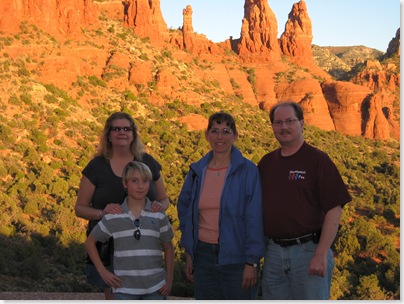
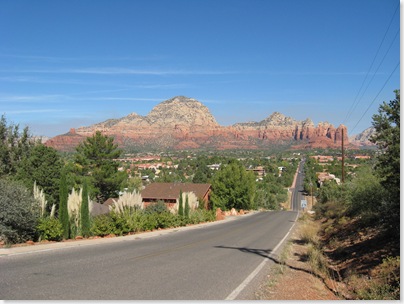
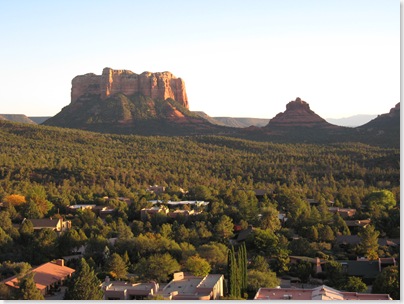
Tuesday, I picked up Peggy and Nick and we drove to Sedona. Although I've been there several times on day trips, I've never stayed there, and Peggy and Nick have never been to Arizona at all, so we were all really looking forward to a few days there (it was my 50th birthday celebration). We stayed at A Sunset Chateau, a very nice bed and breakfast with a great view of the mountains. We met Rick and Therese and they took us sightseeing to some of their favorite spots around Sedona, then went to a Japanese restaurant for a great meal. Here are some photos of the area around Sedona:
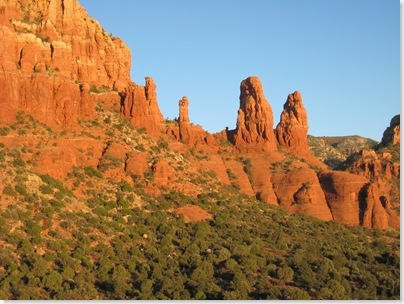
Phoenix 2008 004

Phoenix 2008 005

Phoenix 2008 006

On Wednesday, we headed to the Grand Canyon. On the way out of Sedona, an engine light came on in the rental car, but it was for traction control, which I've had on my car from time-to-time, so I didn't think it was too serious. However, as soon as we got on the highway, I noticed that the engine was definitely lugging; I couldn't get the car to go over about 65 MPH even with the gas pedal floored. Since it was only about 40 miles to Flagstaff, I figured we'd get a replacement car there. Unfortunately, we didn't even make it that far: about 10 miles later, going up a steep hill and passing a slow-moving truck, the engine died and a message said that starting was disabled. It was a little scary trying to get the car off the side of the road with other cars zooming around us, and in fact I couldn't even get the car way all the way out of the right lane. I immediately told Peggy and Nick to get out of the car to be safe and flagged a couple of other cars over to help push it the rest of the way off the road. A nice couple on their way to Flagstaff gave us a ride to the Budget booth at the Flagstaff airport, where the folks there quickly got us going with another car. The rest of the way to the Grand Canyon was thankfully uneventful.

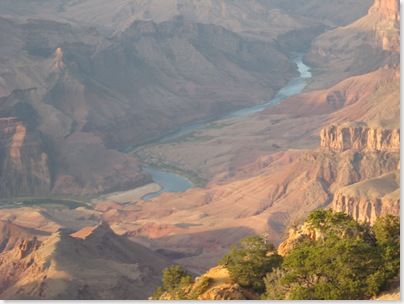
We had a great time at the Grand Canyon. It's one of those places that no matter how many times you go (this was my second visit), it's still awe-inspiring. We stopped at several viewpoints and spent several hours at the Grand Canyon Village. After a long drive back to Sedona, we finished with a very nice dinner at a gourmet pizza restaurant not far from our hotel. Here are some photos of the Grand Canyon. You can't really get a sense of the scale, especially in a photo, but the far side of the canyon is 11 miles away.
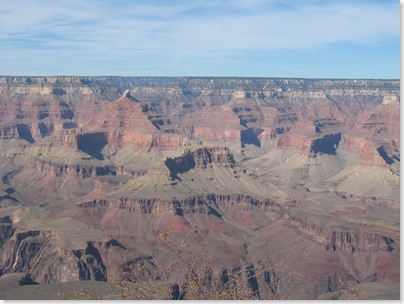
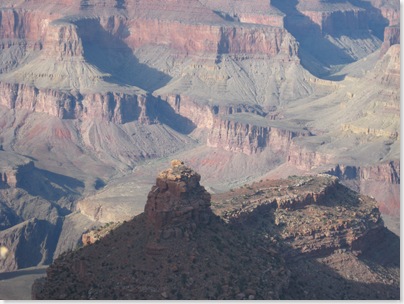
Phoenix 2008 010

Phoenix 2008 019

Phoenix 2008 024

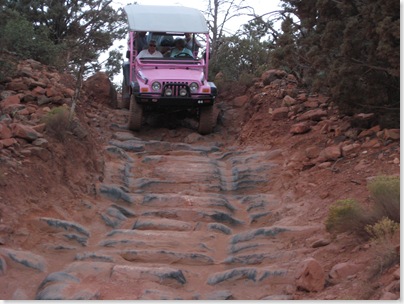
We did some sightseeing Thursday, starting with Oak Creek Canyon and Slide Rock State Park. Slide Rock is a very cool place: a natural water slide you can have a lot of fun in. Unfortunately, it was a little too cool to go in the water, so we just enjoyed the vistas while Nick splashed around a bit. We then went to Tlaquepaque, a gorgeous Mexican-inspired village in Sedona full of art galleries and stores. After lunch, we did a bit of shopping on the main street in Sedona, then went on a Pink Jeep tour of Broken Arrow Canyon. Wow, that was amazing. The jeeps went places I didn't think any vehicle could go, including what seemed like nearly vertical inclines and declines. Highly recommended!
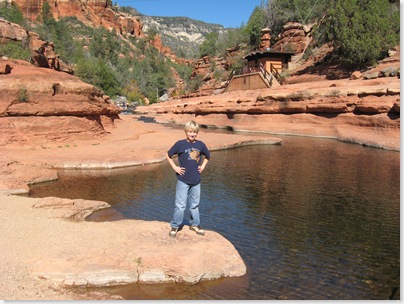
Phoenix 2008 037

Phoenix 2008 108

Phoenix 2008 112

We headed back to Phoenix on Friday and mostly took it easy: a couple of hours at Amazing Jake's riding go-karts and rock wall climbing (yes, even me), some pool time, a movie (Lakeview Terrace, with one of my favorite actors, Samuel Jackson), and then a very nice late dinner at Joe's Crab Shack.

Saturday's return home was uneventful, which is my favorite way to travel. All in all, a great family mini-vacation. Now it's time to catch up: it's been two weeks since I've been in the office and couldn't send emails since Tuesday (I had an Internet connection but my mail server would only let me receive, not send, emails).

Southwest Fox Ambassador Fund

At the keynote presentation for Southwest Fox 2008, we announced the Southwest Fox Ambassador Fund. (We actually called it the Worthy Developer Fund, but that name was just a placeholder until we came up with a better one. Thanks to Christof Wollenhaupt for the inspiration for the new name.)

Many VFP developers around the world are providing incredible contributions to the VFP community, such as working on VFPX projects, blogging about techniques and code to do cool things in VFP, or providing exemplary support in various VFP forums. However, for most of them, attending a conference such as Southwest Fox isn't feasible.

The Southwest Fox Ambassador Fund is intended to raise money from the VFP community to allow one (or more, depending on how much is raised) developer to attend next year's conference as an ambassador for the developers in their country. This will give them the opportunity to meet and share experiences with developers attending Southwest Fox and give us the opportunity to learn about VFP development going on in their country.

Geek Gatherings, the organizers of Southwest Fox, are kicking off the fund by contributing the conference registration fee. Also, we held a silent auction at Southwest Fox to start the ball rolling. Between the silent auction and contributions from generous people at the conference, we've already raised over $1,100!

We urge you to consider donating any amount you see fit, small or large, to this fund. Contributions can be sent by check to:

Geek Gatherings, LLC
Ambassador Fund
42759 Flis Drive
Sterling Heights, MI 48314

100% of donated money will go to the travel costs for the ambassador. Not a single penny will be used to cover administrative costs. All time managing the fund and working through the selection process will be donated. No one will be paid for their time. So if you want to donate to the fund, please send a check or we can arrange non-credit card PayPal transaction so we don't have unnecessary discount fees.

Also, let us know if you want your contribution to be public or not. If so, we will include your name in the list of contributors announced at next year's conference.